Delink (offboard) your ASP in EmaraTax
How to remove your ASP link in EmaraTax, for example when you change provider or stop trading.
Use this to remove your ASP link, for example if you're moving to a different ASP, or your business no longer needs e-invoicing (such as when it closes).
Once you've delinked, that ASP can no longer send or receive e-invoices for your entity. If you're switching provider, plan the date with both ASPs so there's no gap in invoicing.
Step 1: Open your ASP link in EmaraTax
Sign in to EmaraTax, open your entity and go to E-Invoicing. On the Linkage Status with ASP tab, choose Offboarding/Reverify on your ASP's row.

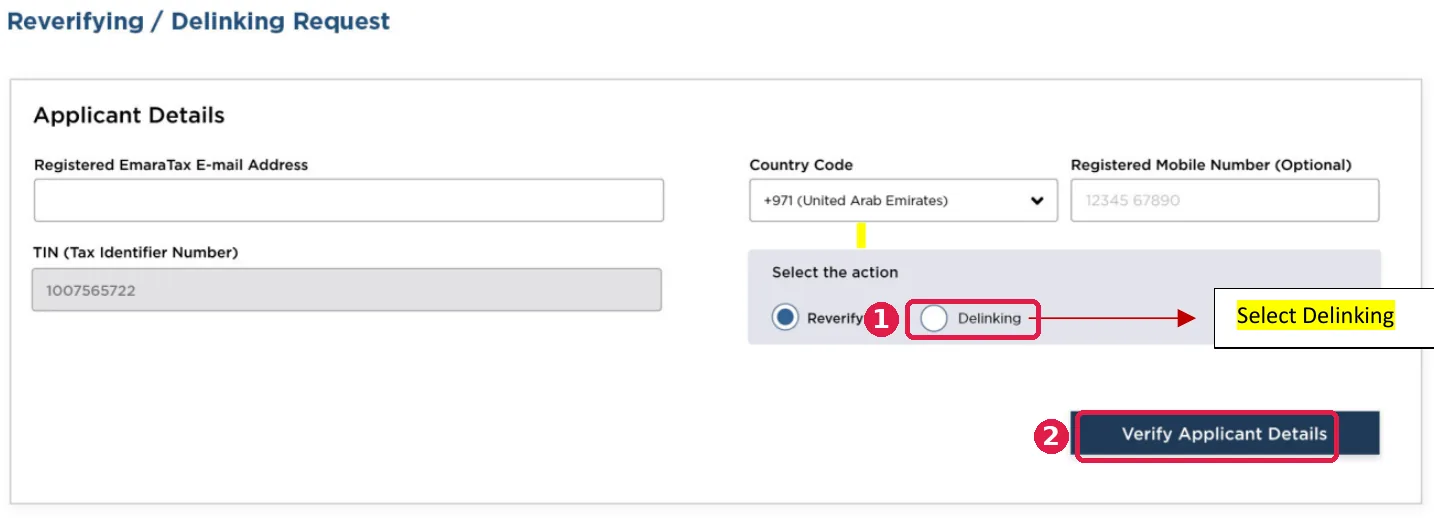
Step 2: Choose Delinking on the ASP page
(1) Select Delinking. Enter the email linked to the Taxable Person, then (2) click Verify Applicant Details.
Step 3: Confirm and submit
Check the entity details, tick the declaration and click Submit.
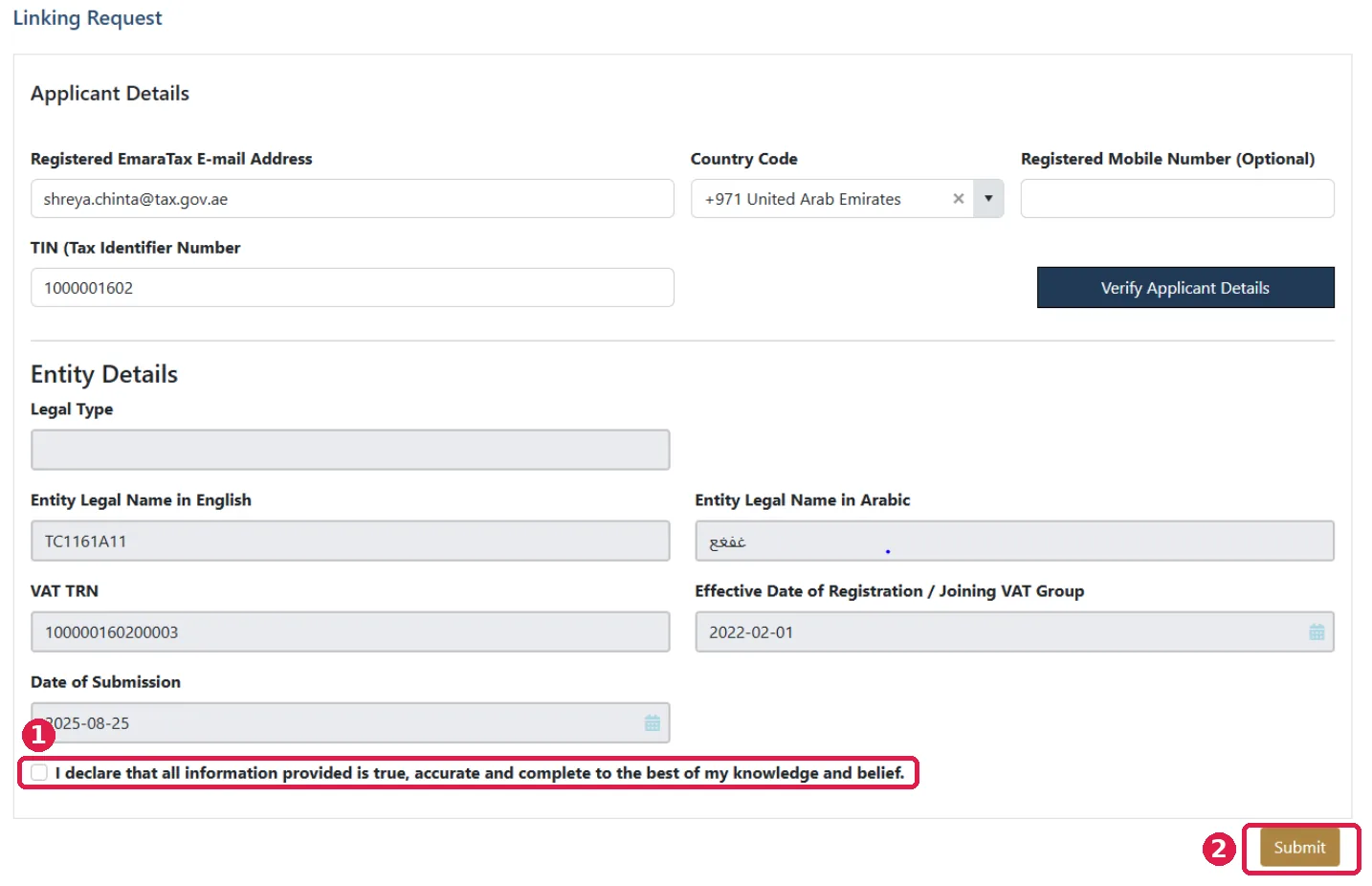
EmaraTax then shows the link as delinked.
Troubleshooting
| Problem | What it means | What to do |
|---|---|---|
| "Invalid email" when you click Verify | The email doesn't match the one linked to the Taxable Person in EmaraTax. That can be different from the email you log in with. | Use the email linked to the Taxable Person. If you can't find it, or it needs correcting, raise a ticket with FTA Support. |
| TRN not returned, even though it's active | Usually means your registered information in EmaraTax needs checking or correcting. | Review your details in EmaraTax. If needed, submit an Amend Taxable Person (AMTP) application or raise an FTA support ticket. |
| Linking details not showing in EmaraTax | The link didn't come through on the EmaraTax side. | Tell your ASP first. The ASP retries and, if needed, escalates to the FTA with the technical details. |
| Failed because of the "Legal Type" field | The FTA has made Legal Type optional. | Try again. You can leave Legal Type blank. |
Related
Need help? Contact Citytech at einvoicing@citytechme.com. For questions about your EmaraTax account, contact the FTA at e-invoicingsupport@tax.gov.ae.
Source: FTA, "UAE E-invoicing End-User Process for Onboarding, Reverify and Offboarding" v1.2.